Your Complete Guide to Zach Bryan At The Woodlands
Download App

AXS Mobile App
AXS MOBILE APP
Download the app now to:
- View order details
- View special offers and upgrades
- Transfer tickets to a friend
- Instructions on how to transfer can be found here.


AXS Mobile ID
LOAD YOUR PASSES
Your tickets for this event are delivered through AXS Mobile ID. Before arriving, download the AXS app and sign in to access your tickets. For the easiest entry experience, you may also add your tickets to your phone's mobile wallet in advance.
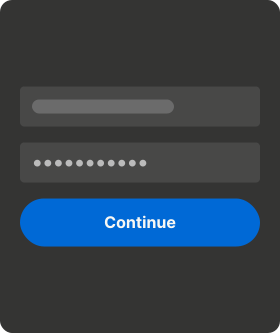
Step 1: Before You Arrive - Sign in using the email address associated with your ticket purchase. Locate your tickets in the app and add them to your phone's mobile wallet for quick access.
Step 2: At the Venue - Open the AXS app or your mobile wallet before reaching the entrance. Present your ticket for scanning when prompted by event staff.
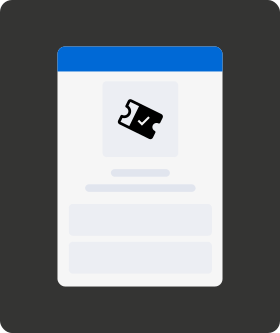
Step 3: Show your AXS Mobile ID at the door to scan on show day. Review information below for specific ticket types.
HOW TO TRANSFER PASSES ON AXS
If your group is arriving separately, you may transfer individual passes through the AXS app. Instructions can be found here: support.axs.com
- Click on "Tickets" and select the event.
- Click "Transfer".
- Select the pass(es) you would like to transfer.
- Select your contact or enter the recipient's first name, last name, and email address.
- Click "Continue".
- Review the information and click "Transfer".
Know Before You Go
SHOW DAY CHECKLIST:
- Review Day Timing
- 12PM Parking Opens
- 3PM Doors
- 5PM Show Starts
- Download the AXS mobile app
- Load your passes in the app
- Review items you can and can’t bring into the show
- Review your arrival information

Getting Here
Getting Here
Plan your trip for the day. Find directions, parking, shuttle information, and venue maps to make your arrival as smooth as possible.

What To Bring, What To Leave Behind
What To Bring, What To Leave Behind
Take a moment to review everything ahead of time so you don’t have to forfeit any items when you arrive. Please note: a clear bag policy is in effect.

Parking
Parking
Reserve your parking in advance with parking options. Then review maps and directions so you know exactly where to go. Consider carpooling to make your trip easier.
If you purchased Preferred Parking, Oversized Parking or RV Camping, please ensure the pass that was mailed to you is displayed upon entry. If you purchased your pass after September 7, please visit the Box Office to pick it up, as it was not shipped in advance of the show. The Box Office is open from 10 AM - 9 PM on Friday and Saturday.

RV Camping
RV Camping
Rest easy with an RV Camping reservation at The Woodlands (BYORV!).
No power, water or waste hookups are available. However, shared portable restrooms will be provided in the RV Camping lot.
Self-paid pumping services will be available on the morning following your reservation. Flag down a service attendant if your RV requires servicing prior to departing the Woodlands.

Accessibility
Accessibility
Before the Show: While planning your experiences with us, we encourage patrons with disabilities to review our Accessibility FAQ. It includes answers to frequently asked questions, helpful information for planning your visit.
At the Show: Once at the Woodlands, please visit our Access Center, located just inside the main gate to your right. Our Access Team will be available to answer questions and help you navigate the event.
Questions about accessibility? Please email the Accessibility Director: ADA@thewoodlandsdover.com
Once You're Here
Get familiar with all things across The Woodlands

Box Office
Box Office
Purchase tickets day of, or pick up parking passes at the Box Office (5 Plaza Dr, Dover, DE 19901) on your way to the Event. The Box Office is open from 10 AM - 9 PM on Friday and Saturday.

General Admission
General Admission
Blankets and chairs are permitted in designated areas within the General Admission spaces.
Please review the allowed and prohibited types of chairs detailed in our prohibited items list prior to arrival and only set up blankets and chairs in areas where they are permitted.

Reserved Seating
Reserved Seating
Reserved Seating ticket holders will be asked to present their tickets upon entering and re-entering reserved seating sections. Please keep your mobile tickets readily available to help ensure a smooth experience.

Standing Pit
Standing Pit
Standing Pit ticket holders should have their mobile tickets readily available when entering the Standing Pit viewing area inside the venue. Upon initial entry, ticket holders will receive a Standing Pit wristband, which will allow them to enter and exit the area throughout the event.

Food & Beverage
Food & Beverage
Come hungry and stay fueled all day with a lineup of event eats and refreshing drinks. From NY-style pizza and fresh lobster rolls, to BBQ, gyros and vegetarian, vegan, and Gluten-Free options - The Woodlands has you covered for whatever you may crave!

Lost & Found
Lost & Found
Visit a Guest Services Tent for assistance during show hours.
After the event, Lost & Found will be available at the Box Office (5 Plaza Dr, Dover, DE 19901) Sunday, 9/20 from 9AM - 12PM.

Stay Up To Date
Stay Up To Date
Follow @thewoodlandsdover across all social platforms to stay up to date & for real-time updates on show day.
DID YOU REMEMBER TO:
- Download the AXS Mobile App
- Load your passes
- Review items you can and can’t bring into the venue
- Review parking based on pass type and mode of transport